# Apps and Links
An App is one deployable product in the Catalog, with its automatic Setup built into the binary. Browse [all Apps](/apps) or choose a [Recipe](/docs/recipes), a pre-wired bundle for one purpose.
## Choose your Apps
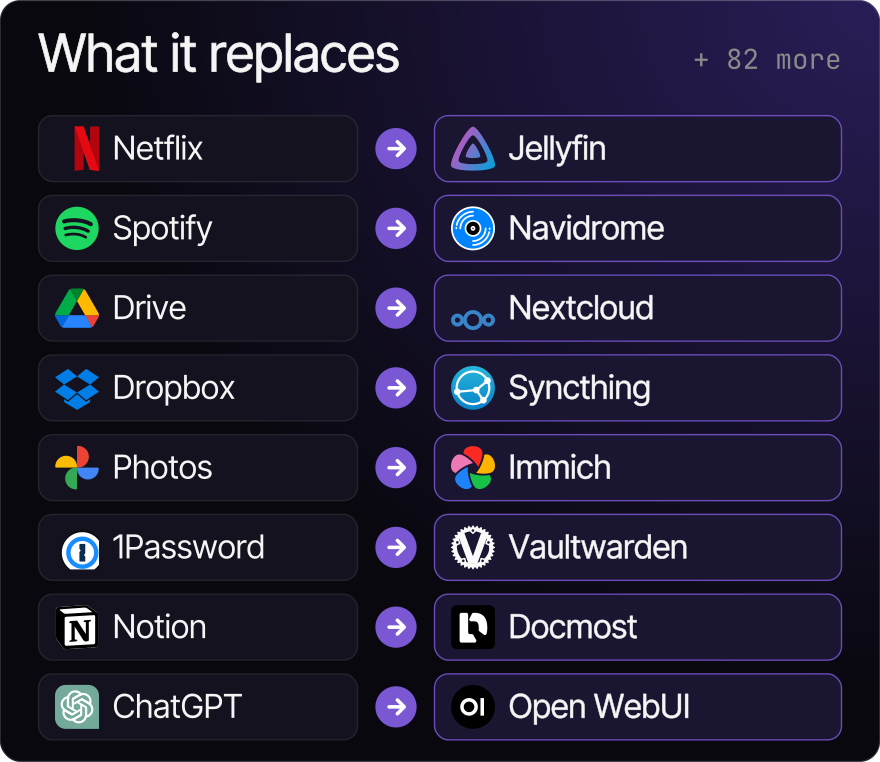
These Catalog Apps cover media, music, files, photos, passwords, documents and AI chat. They are alternatives, not identical services: you provide the server, storage and any content or model they need.
Read an App's requirements before installing it:
```bash
self-host apps info immich
self-host install immich
```
In a terminal, the positional install command acts immediately; inspect the requirements and approve the change before running it. For a new Project, run bare `self-host` for Onboarding's Review instead; with an existing Project, use the Dashboard Catalog. Agents pass `--yes --json` only after the person approves their plan. Start with [Getting started](/docs/getting-started) for Docker Compose requirements and the dated platform-verification table; being in the Catalog does not mean an App has passed a launch run on every platform.
Prefer to keep your own `docker-compose.yaml`? [Docker Compose Maker](/compose) generates one, with a `.env`, for the same Apps and for containers outside the Catalog. It does not run Setup or Links.
## How Links work
Setup configures an installed App's accounts, API keys and settings. A Link is the part of Setup that wires it to another App, and runs once both Apps have finished their own Setup.
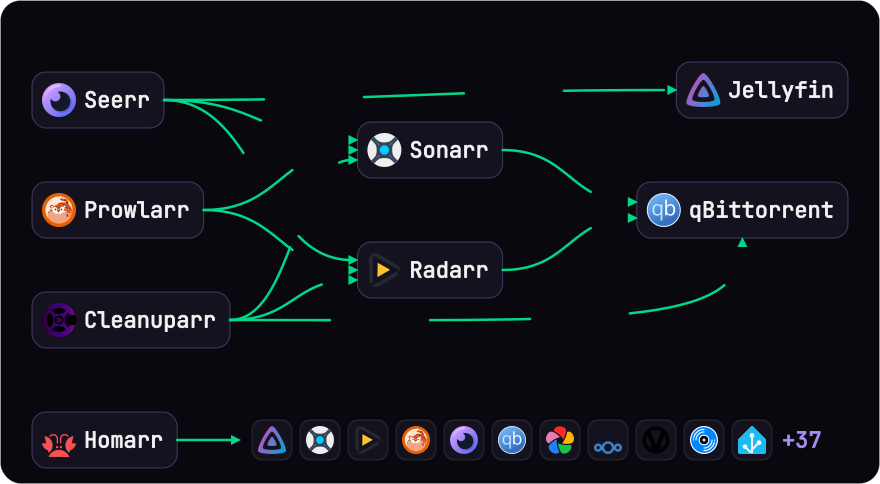
Arrows show which App consumes a Link. Sonarr and Radarr use qBittorrent as a download client; Seerr connects to Jellyfin, Sonarr and Radarr. Homarr adds native tiles and widgets for the Apps it supports.
Each Link belongs to the consuming App. If Sonarr's Link to qBittorrent fails, Sonarr's Setup is incomplete, not qBittorrent's. Read the Debug report and retry the consuming App's Setup:
```bash
self-host debug sonarr
self-host setup sonarr
```
Browser-only steps are reported as Manual steps with a hint and stay retryable. See [Troubleshooting](/docs/troubleshooting) for unfinished Setup, or [Agents](/docs/agents) for the approval and verification rules when an agent runs the commands.